How to predict
Predicting in Footzil is a 6-step flow. If your league uses One-Time Full, skip step 2 (there’s only one round to predict).
Visual walkthrough
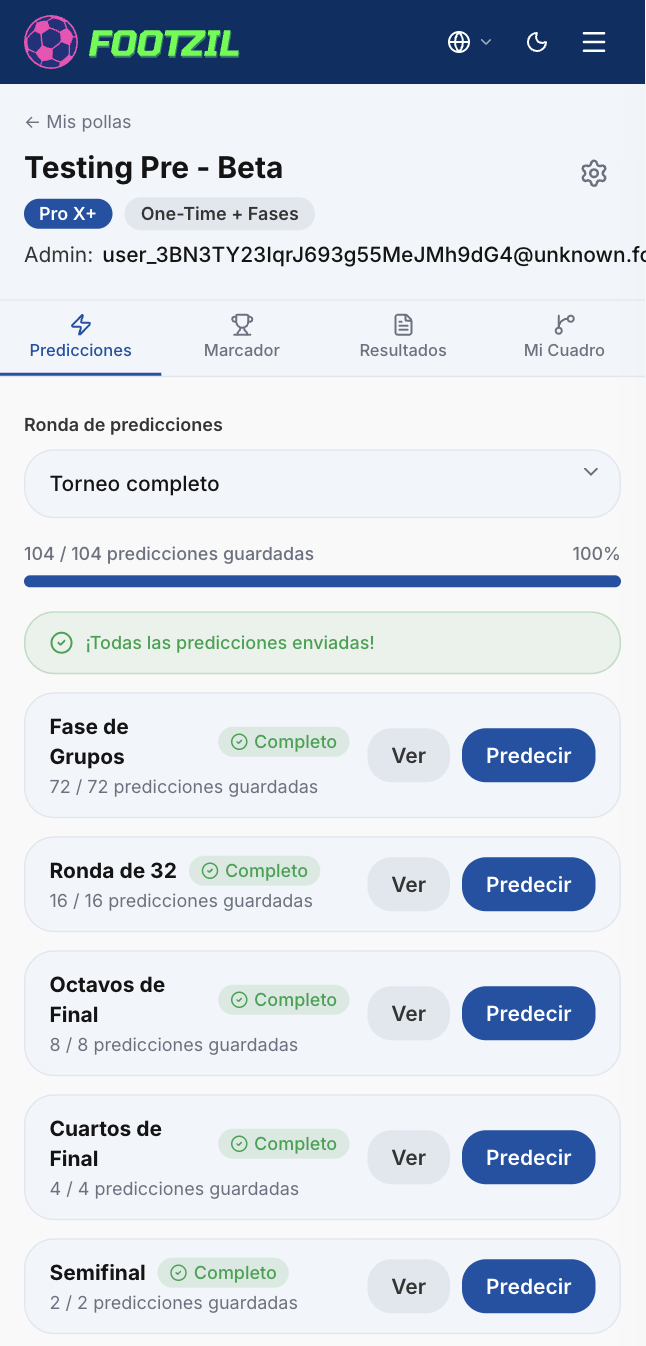
1. Open the Predictions tab
Open your league from the Dashboard and click the Predictions tab. What you see depends on your league’s game mode.
2. Pick the round (One-Time++ / One-Time 2 only)
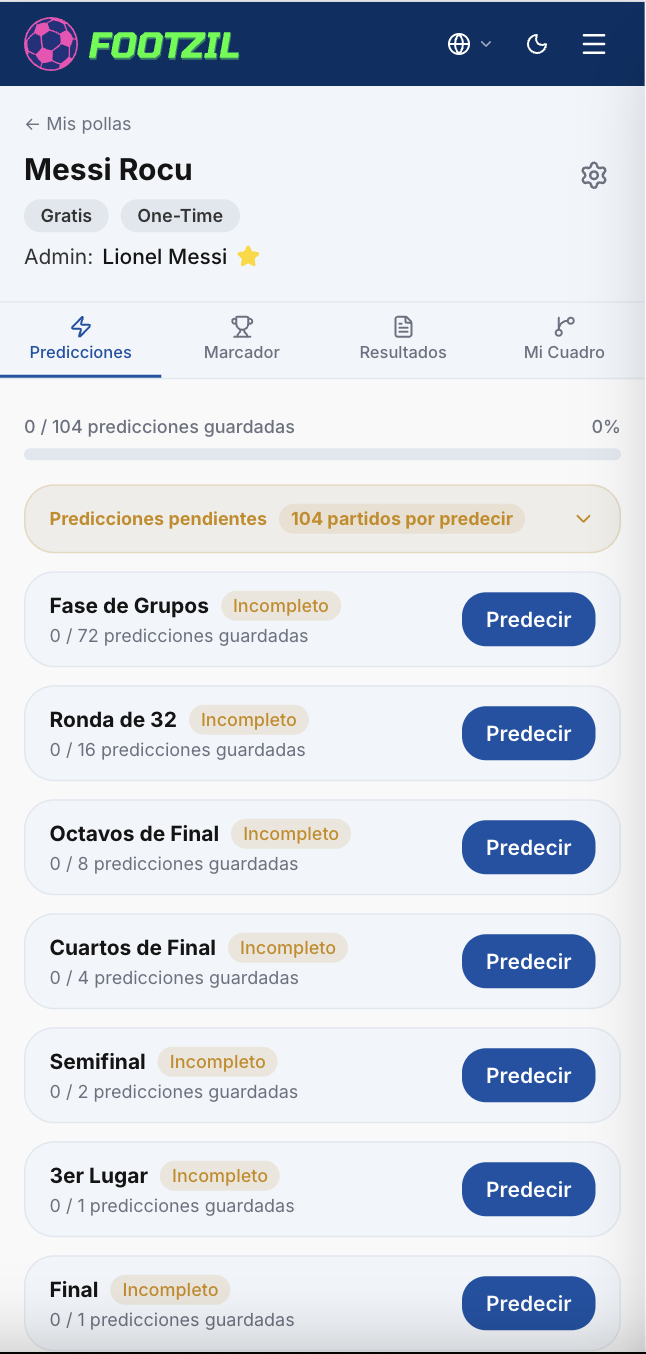
If your league uses One-Time++ or One-Time 2, use the round selector at the top of the match list to choose which round to predict:
full_tournament— before the World Cup starts- Round of 32, Round of 16, Quarterfinals, Semifinals, 3rd Place + Final (One-Time++)
- R32 · R16, QF · Final (One-Time 2)
Each round has its own deadline. See Deadlines & locks to understand the timing.
3. Start predicting
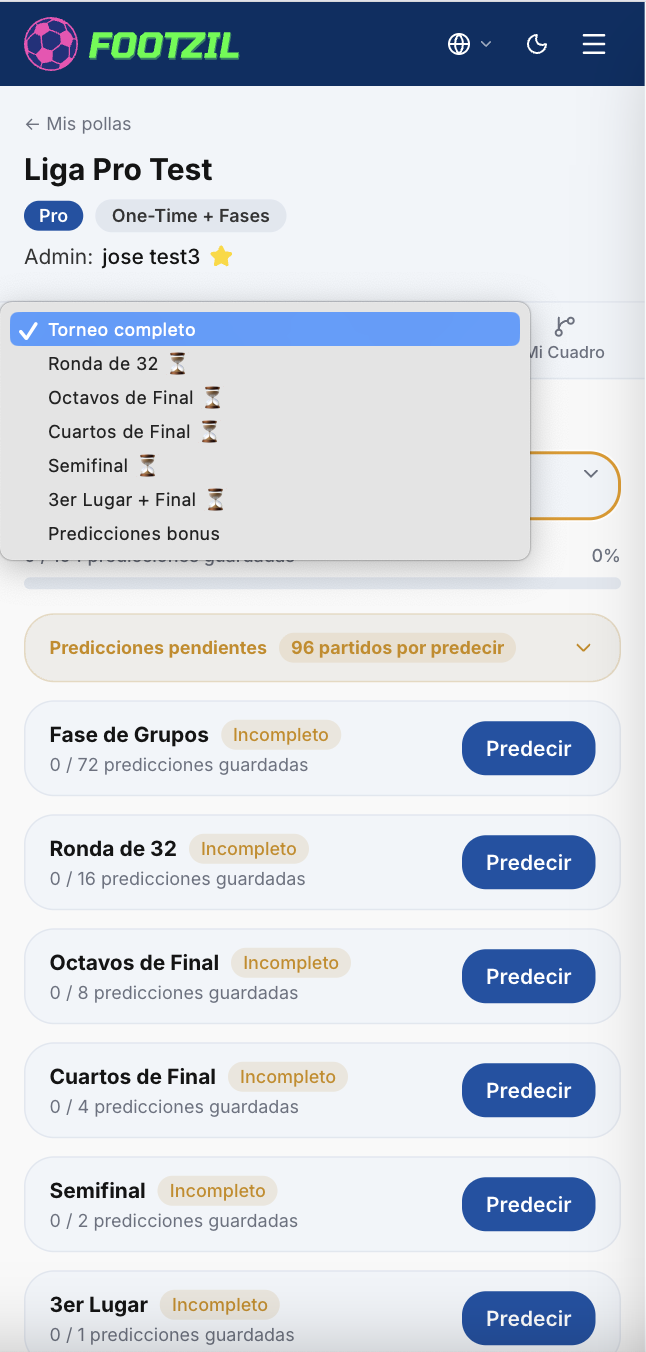
Click the Predict button to open the prediction form.

4. Choose your prediction format
Footzil offers two formats. You can switch between them any time.
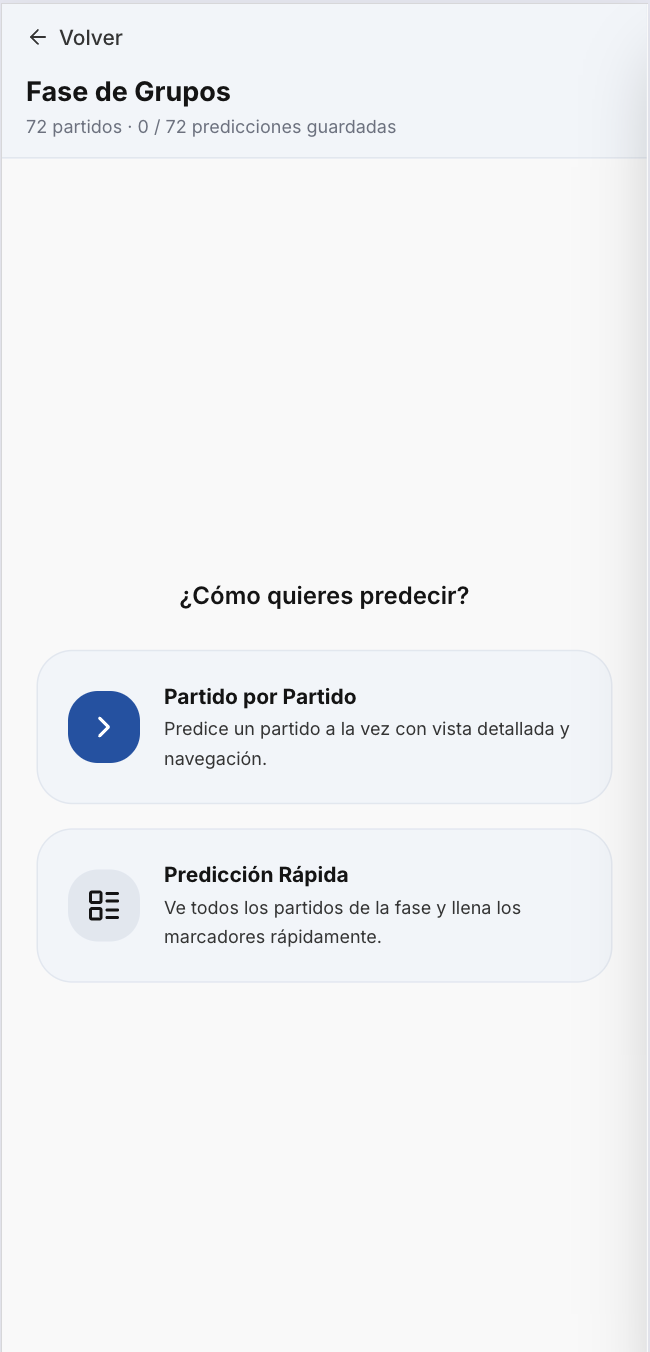
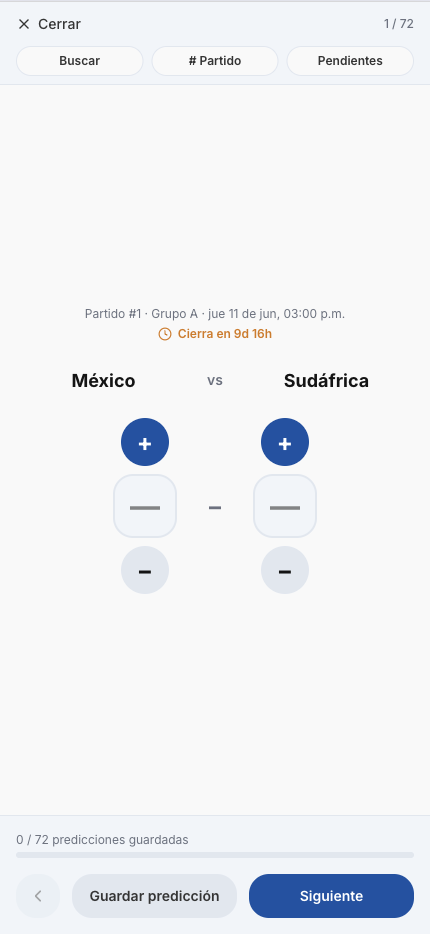
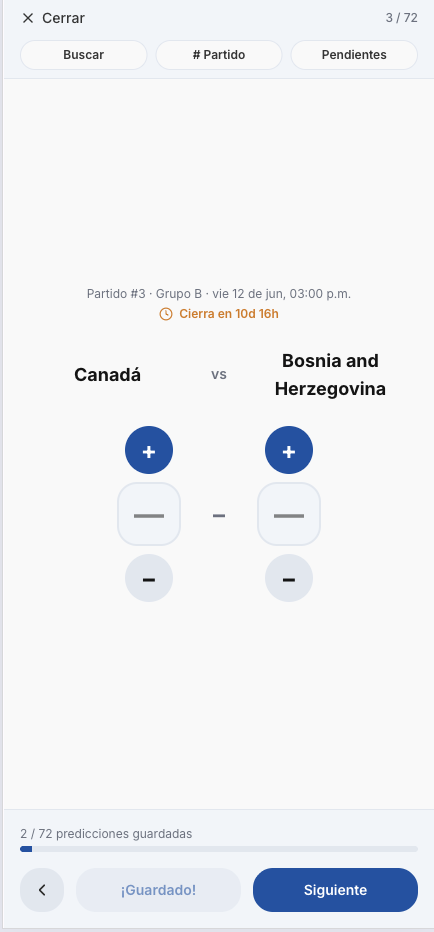
One match at a time (single game)
Opens one match per screen. Ideal when you want to think each prediction through. You enter the score (home and away goals) and, for knockout matches (R32 onward), which team you think will advance.
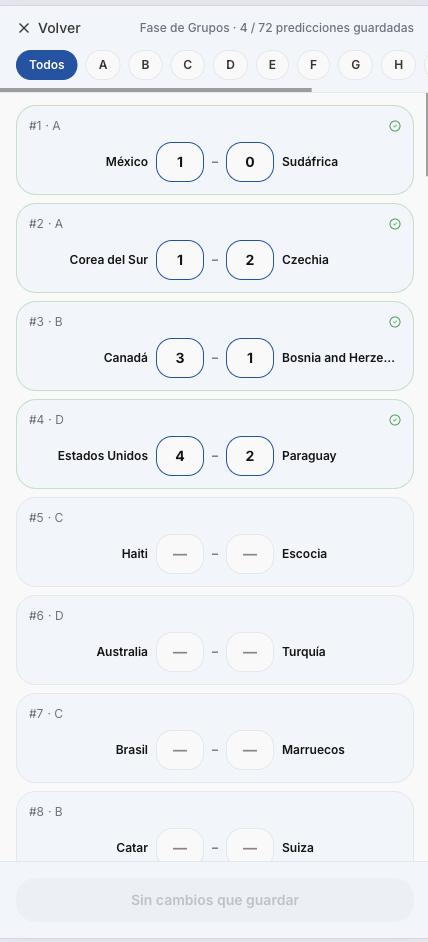
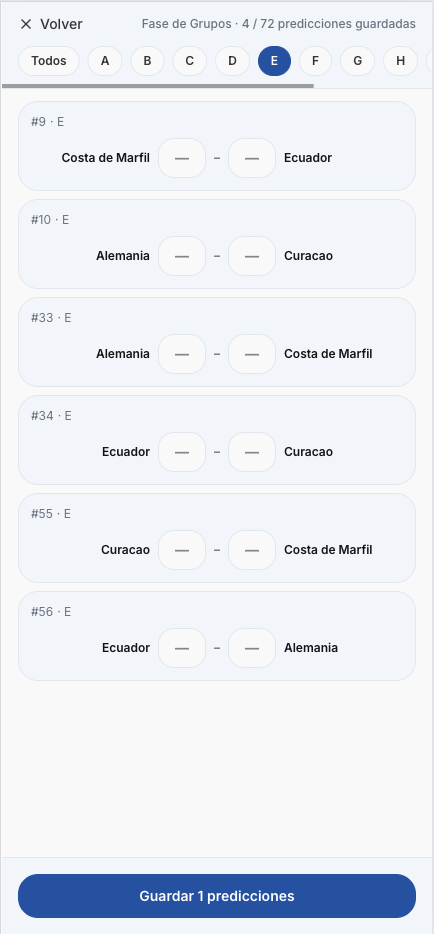
Batch / multi-game (multiple games)
Shows every match in the round on a single screen. Perfect for filling them in quickly. You can filter by group (A, B, C…) to focus on one group at a time.
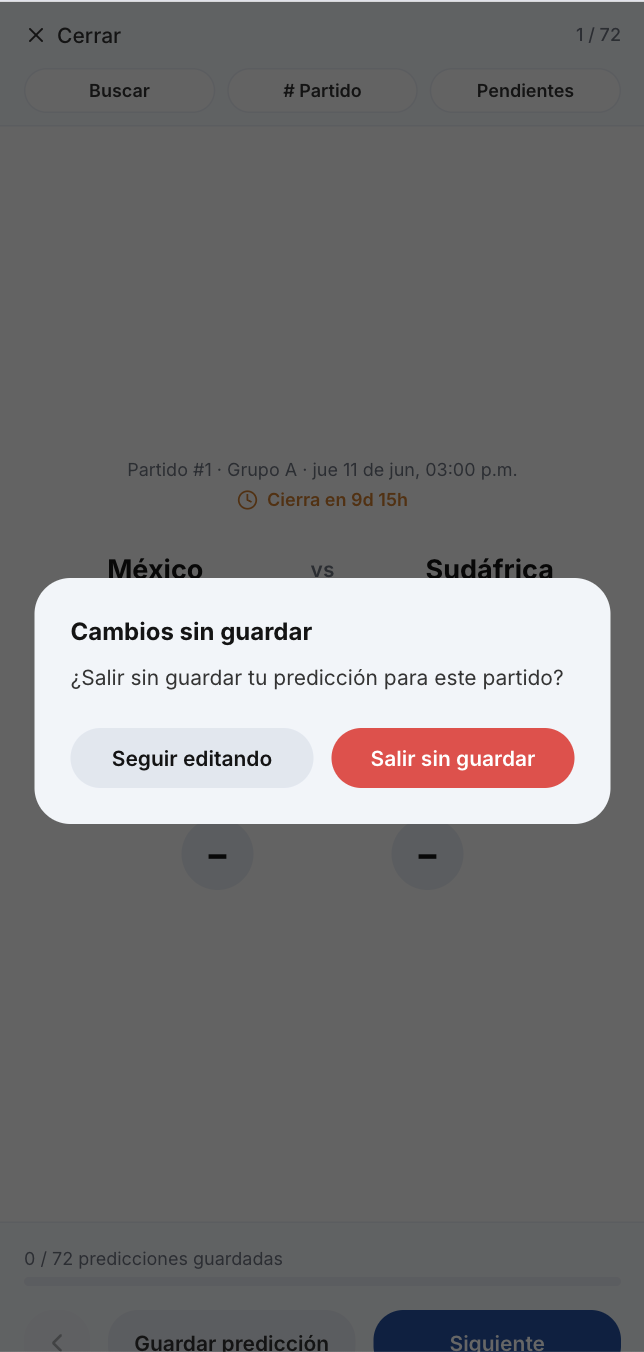
5. Save your predictions
6. Verify nothing is missing
After saving, go back to the Predictions tab and check two things:
- The counter at the top of the list shows how many matches you’ve predicted in the round (e.g. “32 / 48 predicted”).
- Matches highlighted in yellow are still pending — you haven’t predicted them yet.
If you see yellow highlights, reopen that round and finish the missing ones before the deadline. Once the round locks, you can’t predict those matches anymore.