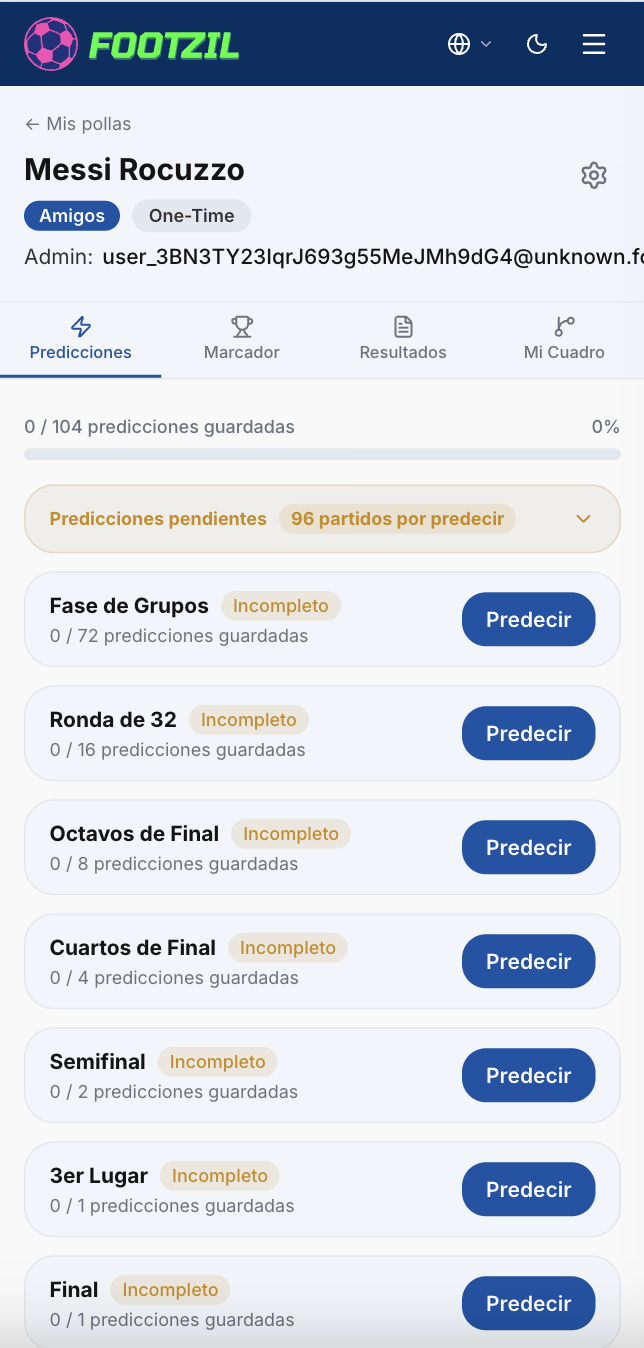
Create a league
Creating a league takes less than 2 minutes. Only the creator pays — every other participant joins for free.
Steps
- Sign in (or create a free account).
- From the Dashboard, click New League.
- Pick your plan: Free, Friends, Pro, or ProX. See the comparison in League tiers.
- Configure your league:
- Name (minimum 8 characters). Ex: “Office FC 2026”.
- Game mode (if your plan allows it). See Game modes.
- For paid plans, you’re redirected to a secure checkout page. Footzil never stores your card details.
- Once confirmed, you get your invite code and shareable link.
- Share and start competing!
Visual walkthrough
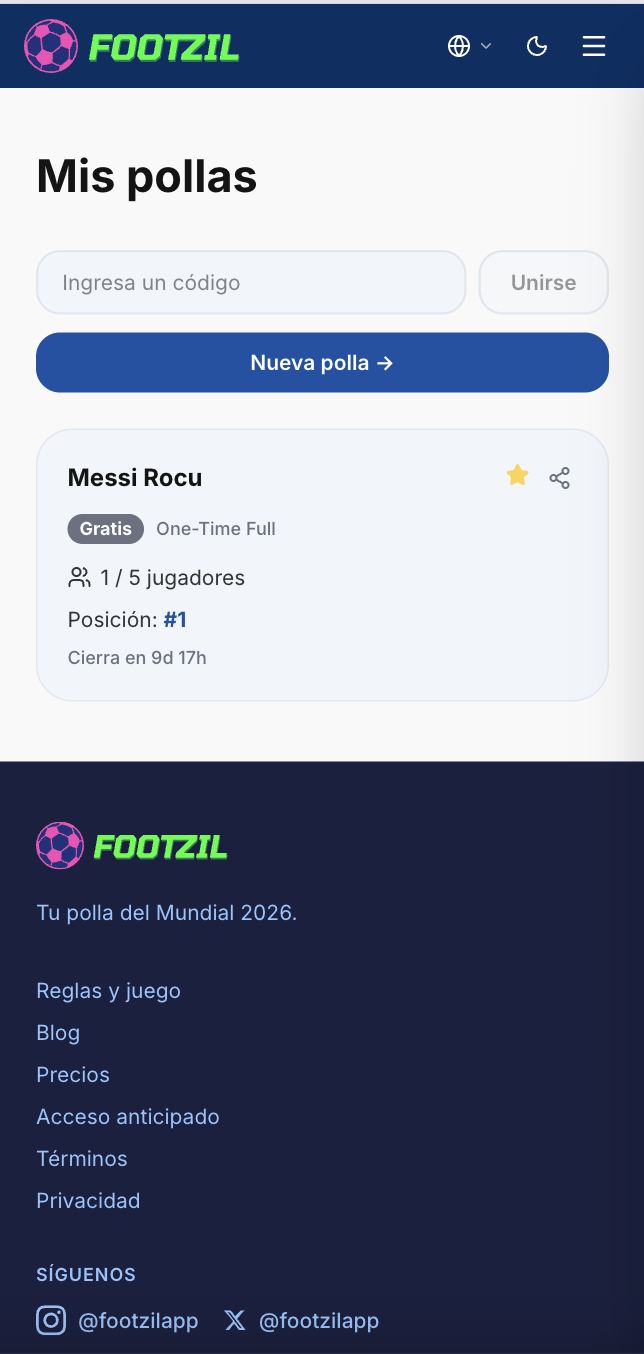
1. Open the league creator
From your Dashboard, click New League to open the league creator.
2. Select the league type
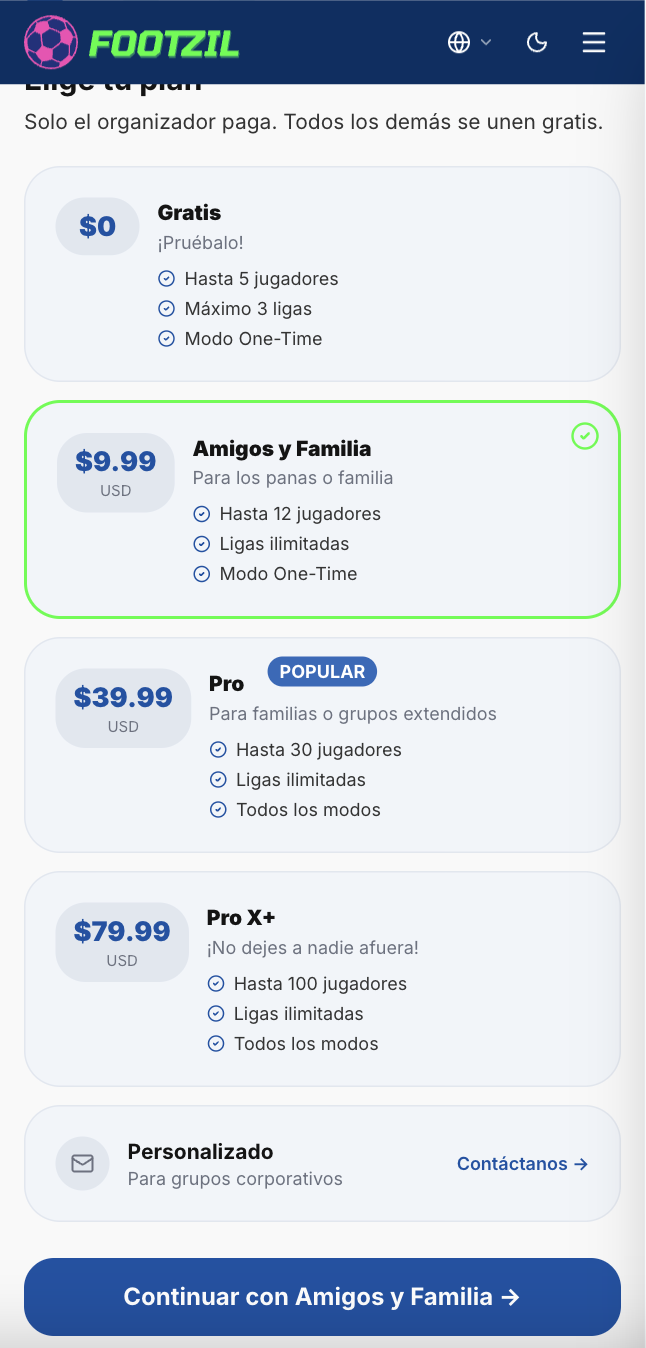
Pick the plan that fits your group: Free, Friends, Pro, or ProX. Only the creator pays — everyone else joins for free. See League tiers for a detailed comparison.
3. Name your league
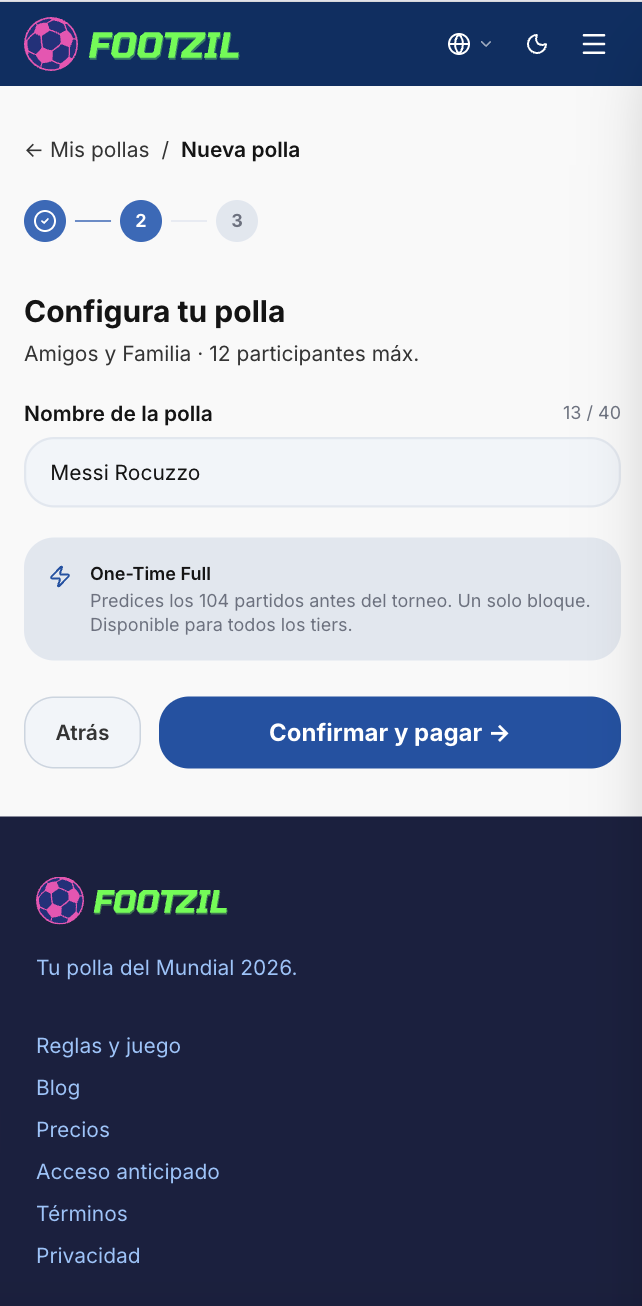
Enter your league name (minimum 8 characters) and, if your plan allows it, pick a game mode. See Game modes if you’re not sure which to choose.
4. Confirm details
Review the summary before paying. This action cannot be undone: once confirmed, the plan and game mode are locked for the lifetime of the league.
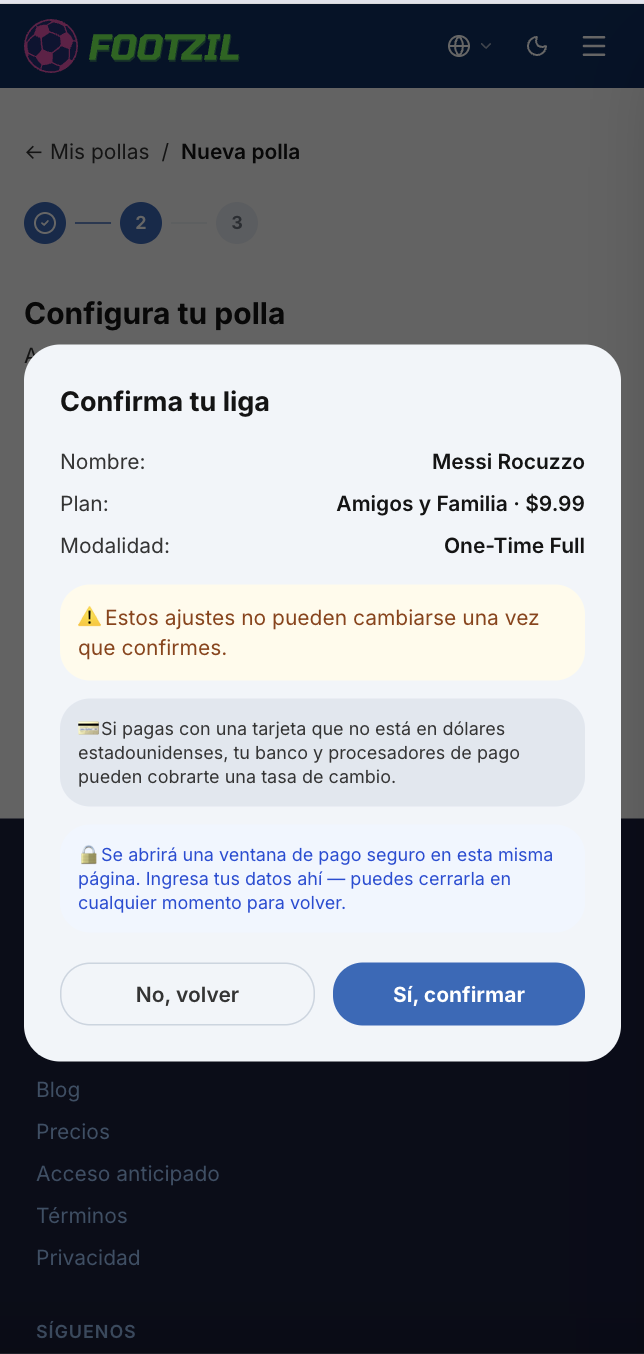
5. Complete payment
For paid plans, you’re taken to a secure checkout page. Footzil never stores your card details. Once payment is confirmed, you’re automatically redirected to your new league’s page.