

Invite players
Once your league is created, you have three ways to invite people to join. Whoever joins pays nothing — only the admin pays for the plan.
1. Invite link
Each league has a unique link like:
https://footzil.com/join/ABC123Copy it from your league screen and share it on WhatsApp, Telegram, Discord, social media, or anywhere. Whoever opens it (with a Footzil account) joins directly.
2. 6-character code
If you prefer not to share a link, share the short code (6 characters). The other person joins like this:
- Sign in to Footzil.
- From the Dashboard, click Join a league.
- Type the code.
3. Email invitations (from inside the app)
If you’re the admin, you can send email invitations directly from the app:
- Open your league → Invite players → By email.
- Enter one or more email addresses (comma- or newline-separated).
- Send. Each person receives an email with their personalized link.
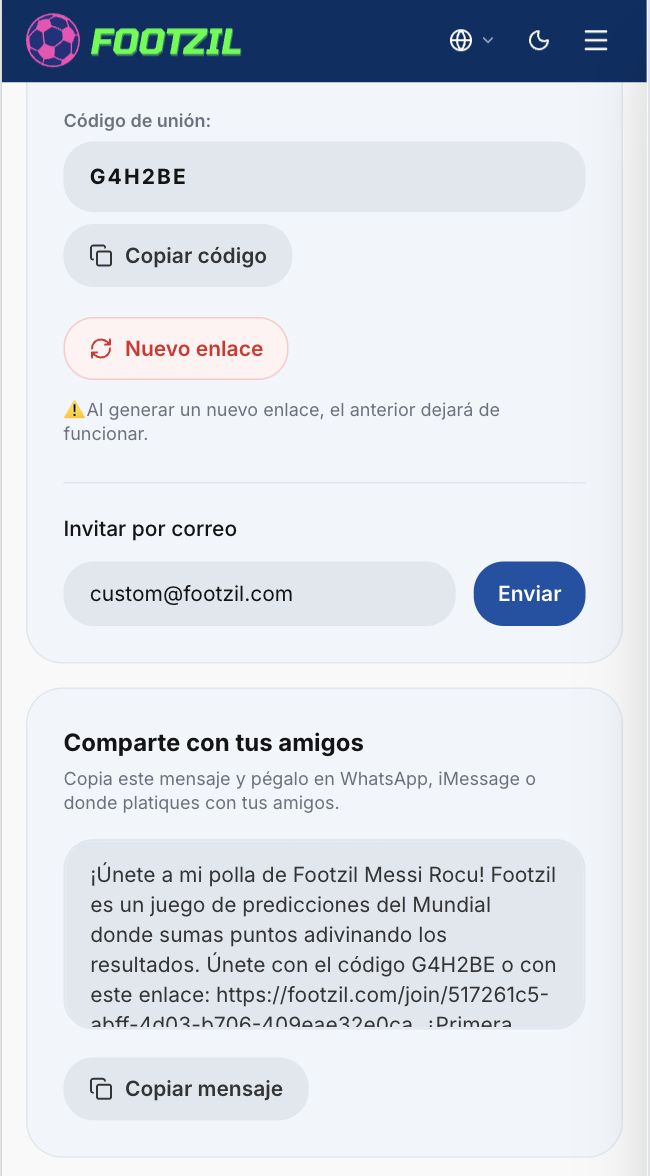
Regenerate the code
If the code leaked or you want to close the league to new participants, the admin can regenerate the code from settings. The old link stops working immediately.
Open my league