

Reopen predictions (one-time)
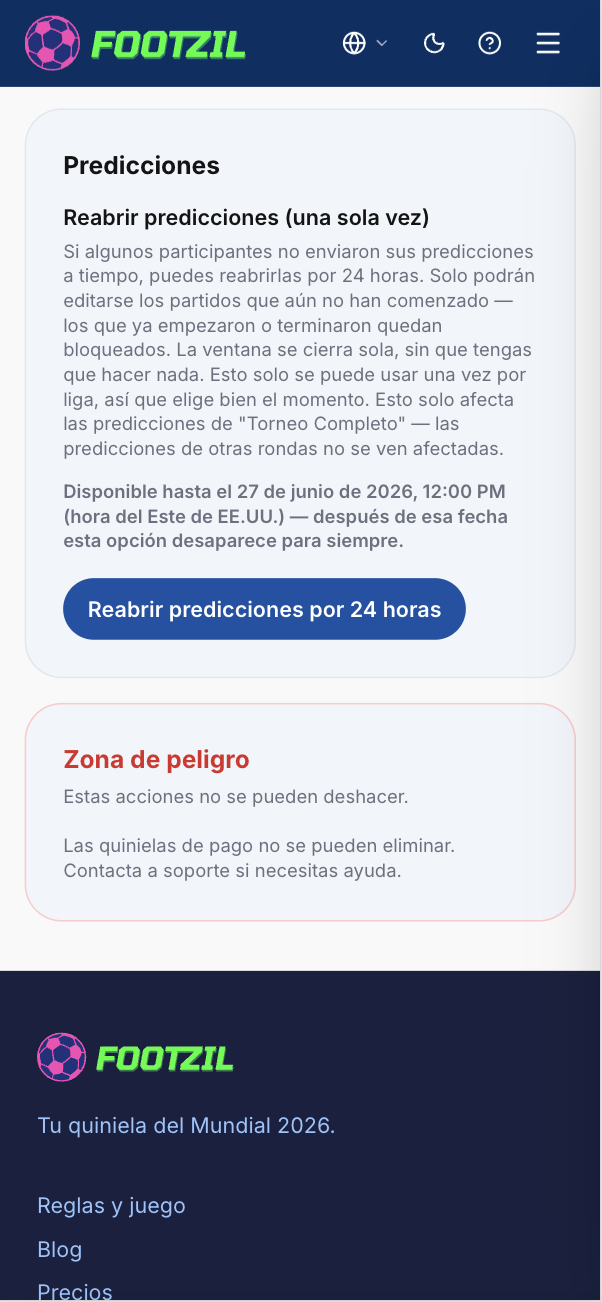
If some participants in your league didn’t submit their “Full Tournament” predictions before the deadline, you can give everyone one more chance by reopening those predictions for 24 hours.
How do I activate it?
- Open your league and go to Settings.
- Find the Predictions section.
- Tap “Reopen predictions for 24 hours” and confirm.
What happens when I activate it?
- Every participant (including you) can submit or edit “Full Tournament” predictions for any match that hasn’t started yet.
- Matches that have already started or finished stay locked — no one can change them, not even you.
- Other prediction rounds (per-phase predictions, if your league has them) are not affected — only the “Full Tournament” tab reopens.
- The window closes itself after 24 hours. There’s no need to come back and “close” it — that option doesn’t exist.
- We email every participant to let them know predictions are reopened and until when.
Which league modes can use this?
All league modes — “Quiniela Completa” (One-Time Full), “One-Time++”, and “One-Time 2”. In every mode, it only reopens the “Full Tournament” predictions tab; per-phase prediction windows (round of 32, knockouts, etc.) are unaffected and keep their own deadlines.
Activation deadline
This option can only be activated until June 27, 2026, 12:00 PM (US Eastern Time) — no exceptions. After that date, the option disappears entirely, regardless of whether your league has used it or not.
It’s meant to fix delays with the “Full Tournament” predictions, which for “One-Time++” and “One-Time 2” leagues also include knockout-stage picks.
See also Reopened predictions to see what your participants will see during that window.
Go to my leagues